
Work on expanding the audio fund of the application is a side part of the main activity that we do in life :) Therefore, we do not have specific plans and do not make forecasts for the appearance of new works in our database. However, each user of the application is given quite ample opportunities to add new chants.
The following options are available in this version of the app:
1. Self-recording on your phone using "Blank Album".
2. Self-recording on professional equipment and sending to us for publication
3. Self-recording on professional equipment and publishing on your server.
4. Sending us the score for recording and publishing.
1. Self-recording on the phone using "Clean Album".
This method can be useful for choir directors who, for example, want to brighten up the dull everyday life of their choristers by listening to the chant they (the choir directors, of course) like, which the choristers need to learn by the Saturday chant. The choir director may record his or other experienced choristers. "Clean Album" is a group of 10 symbolic works-cells up to 7 minutes long. After downloading the package through the "Management" menu, open, for example, "Artwork 1".
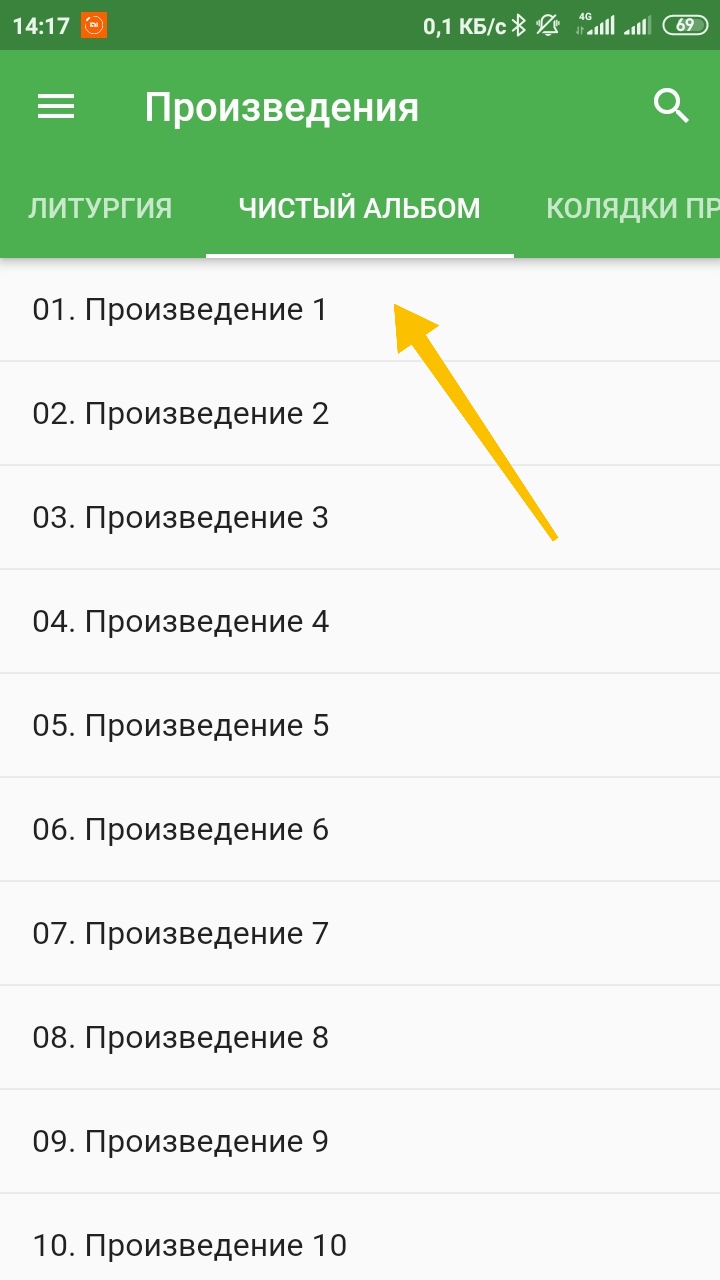
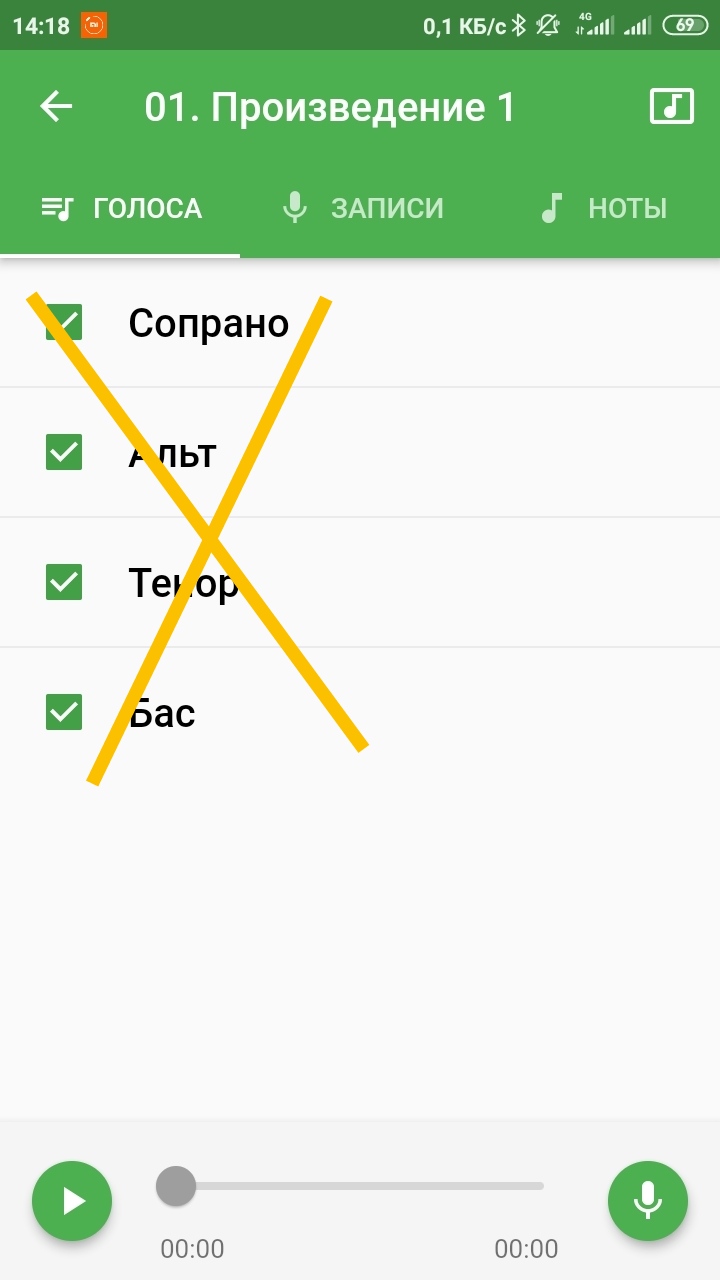
Voice parts are conditional empty files, they do not sound in this album. (By the way, if you are an experienced smartphone user, you can find the folder where files, and replace them with the ones you wrote down, observing the name structure; if you are not sure, don't do it, you never know what can be replaced in the file system!). If without these difficulties, then the recording function is available to us with a virtually infinite number of tracks, we can record each of the next of them while listening to the previous ones:

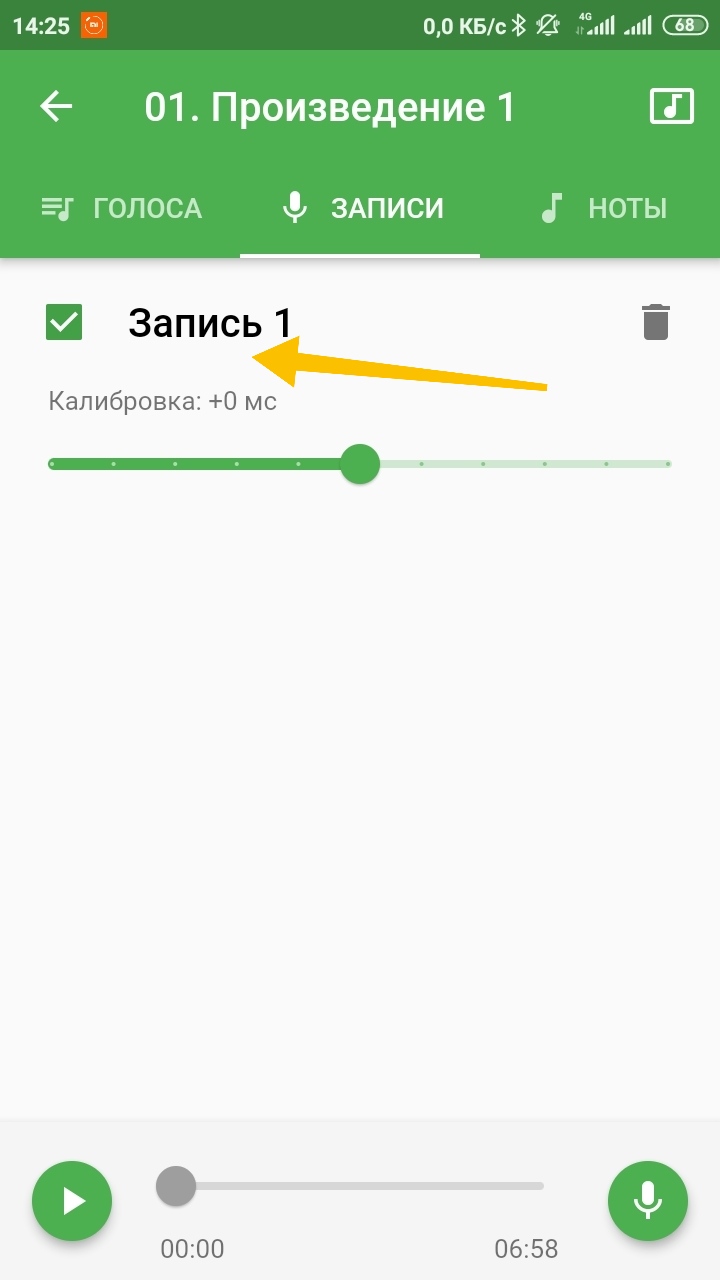
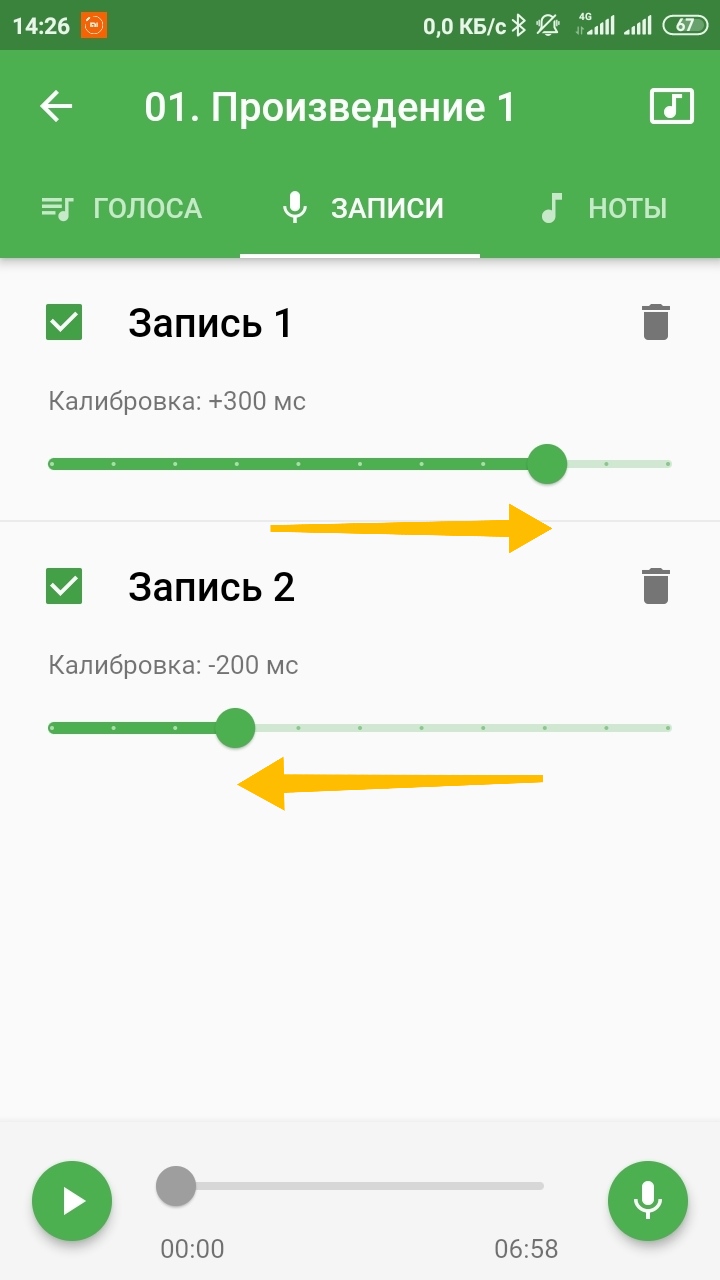
If you've sung in sync with yourself or with singers you've already recorded, and everything diverges in your listening, you can experiment with timing calibration. After all the necessary entries are made, you can send them in a package, for example, to your favorite viber / telegram group of choral communication. It's done like this. Go to "My Posts":
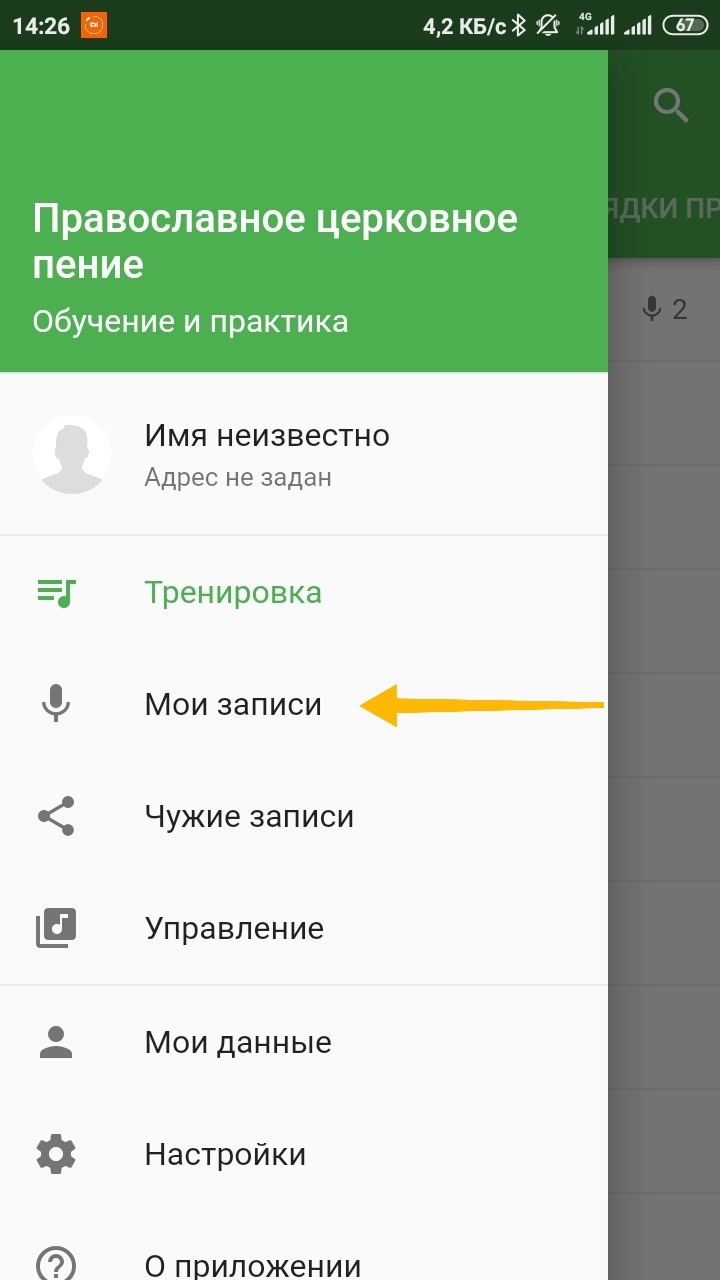
Select "Blank Album" and select the recordings that we want to share with our singers:
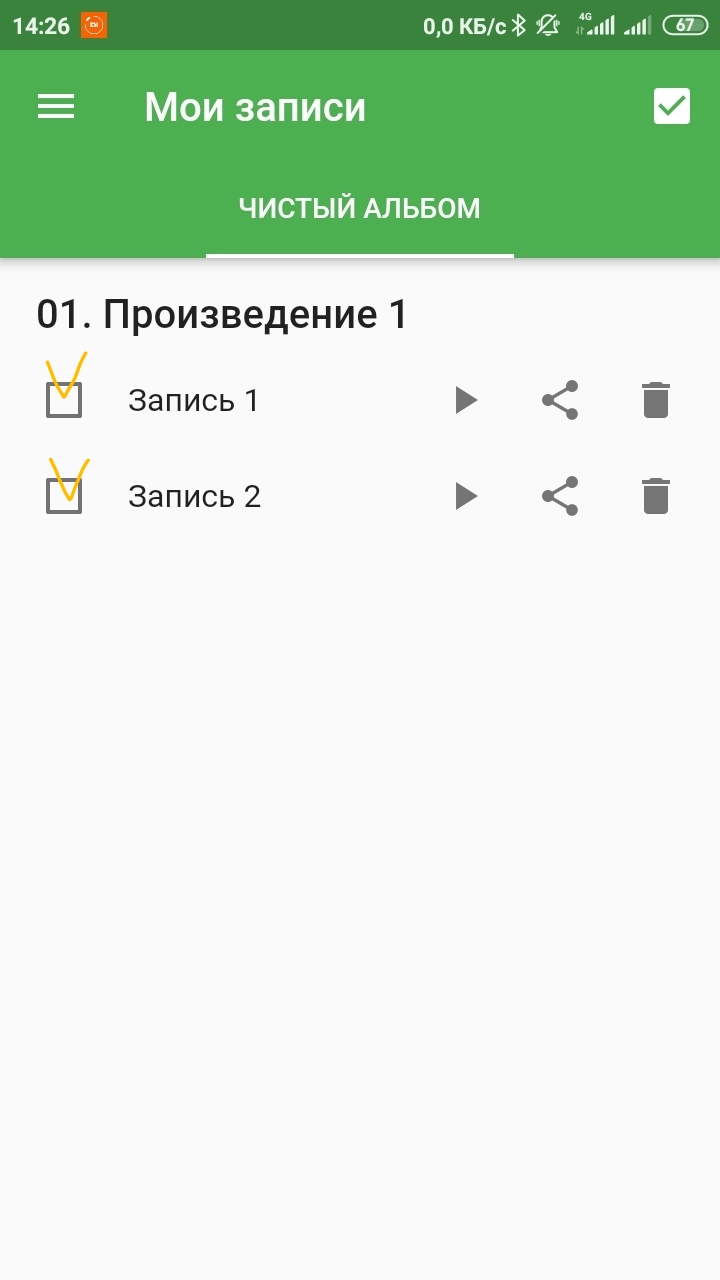
and send as "Teacher Pack"
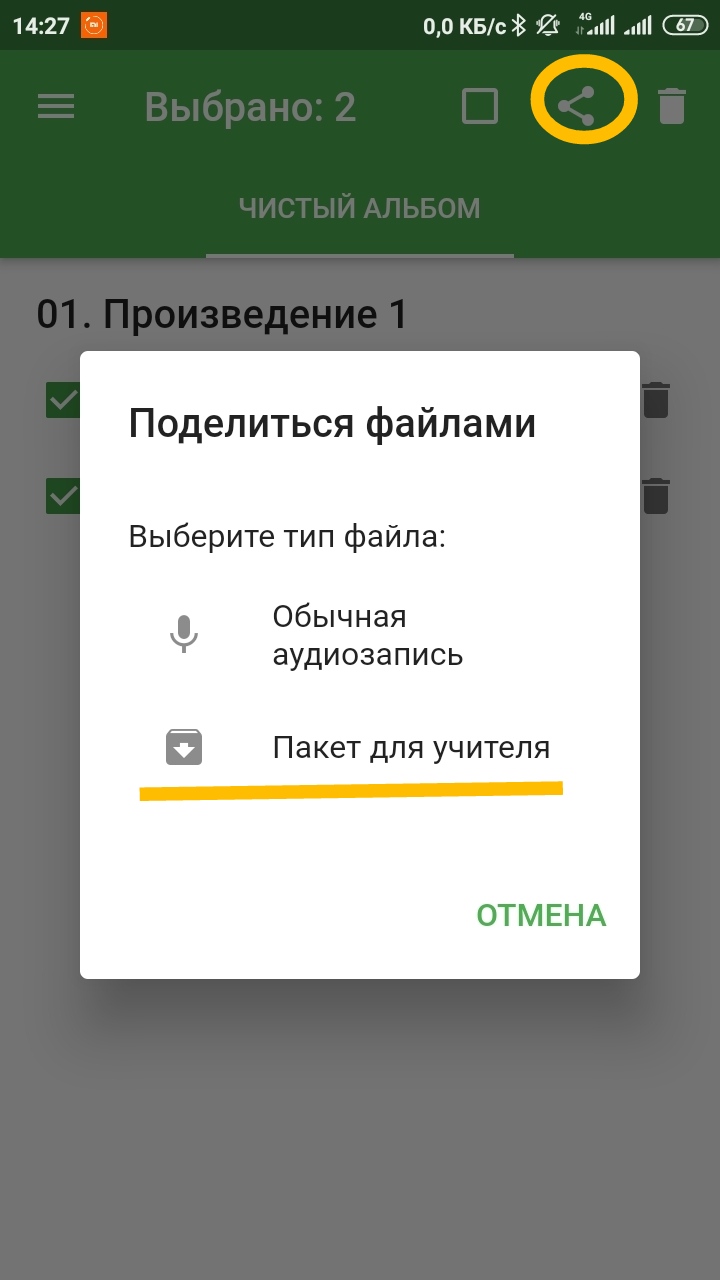
To learn how to open them as a singer, see "How to listen other people's posts"
2. Self-recording on professional equipment and sending to us for publication
If you have the ability to record multitracks, you can record the work yourself. To place on the server, we will need audio recordings of parts in separate mp3 files (64 kbps) with the appropriate names (s, a, t, b) and the score page by page in png format. The entry must be sent to our address.
3. Self-recording on professional equipment and publishing on your server.
To be continued)